OPEN SOURCE. FULL CONTROL.
Your servers.
One cluster.
Zela is an open-source, self-hosted Docker cluster platform by NEXUS AI. Manage your infrastructure from one dashboard, the CLI, or an AI assistant.
Your hosts. Your data. Apache 2.0.
THE CLUSTER, WITHOUT THE CLUTTER
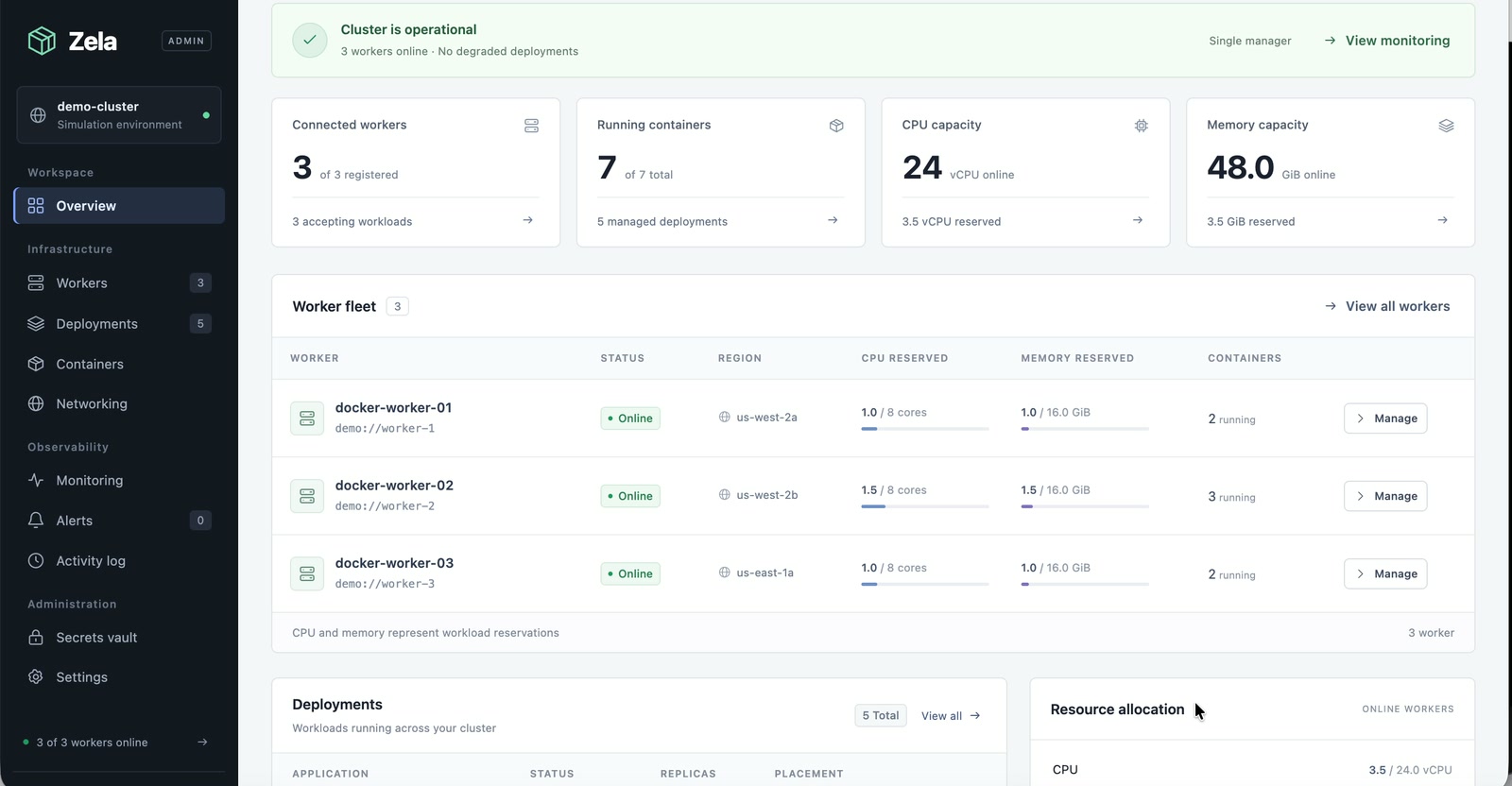
Everything in view.
Everything in your hands.
From your first Linux server to a fleet of workers. Zela brings the work together, so you can get back to building.
LESS TOOL SWITCHING. MORE SHIPPING.
A small control plane.
A lot under control.
APPLICATION LIFECYCLE
From image to running app.
Deploy container images, choose placement, and set CPU and memory limits. Scale replicas, update images, and move eligible applications as your needs change.
- Resource-aware placement
- Tracked operations and image rollouts
- Recovery for managed stateless workloads
zela deployments listMEET YOUR NEW INTERFACE
Talk to
your cluster.
Connect ChatGPT, Claude, or your coding assistant through MCP. Ask about worker health, deploy an image, or scale an application in plain language.
Connect your AI assistantlist_workersExamples only. Real calls run against your cluster with the permissions you grant. Management tools can change workloads.
TAKE A LOOK AROUND
A minute inside Zela.
The actual dashboard, using simulated workers. No slides. Just the platform.
A GOOD PLACE TO START
Your next cluster
starts right here.
- 01
Try the demo.
Explore a populated dashboard without changing a real server.
- 02
Bring a Linux worker.
Provision an existing server over SSH, or connect an agent you manage.
- 03
Deploy something.
Choose an image, set resources, and follow the operation to completion.
git clone https://github.com/nexusrun/zela.git
cd zela
go run ./cmd/zela-server --demo
Go 1.25+ required. Leave the manager running, then read data-demo/admin-token in another terminal to sign in at 127.0.0.1:8080.
What is Zela?
Zela is an open-source, self-hosted Docker infrastructure management platform written in Go by NEXUS AI. Manage your infrastructure from one dashboard, the CLI, or an AI assistant using MCP. It brings Linux workers, networking, monitoring, access control, and container workloads together. Explore the platform.
What do I need to run Zela?
A manager and Linux workers running Docker. Start with the Go-based demo or use the supplied Docker Compose stack for a live manager and PostgreSQL. Connect workers afterward. See installation requirements.
Is Zela free and open source?
Zela is licensed under Apache 2.0. You can use, modify, and distribute it under that license. Your servers, hosting, domains, and third-party services have their own costs.
Does it move my application’s data?
No. Moves and recovery recreate eligible containers from their image and configuration. Zela does not copy volumes, database files, or other local data between workers. Back up application data separately.
Why is networking disabled in Demo mode?
The demo simulates workers; it cannot create a real WireGuard mesh. Use a live manager and prepared Linux agents for cluster networking. Controls also pause while another operation is running.
Can an AI assistant make real changes?
With an MCP management credential, yes—including stopping or deleting workloads. Read credentials are for inspection. Grant only the access you intend, keep client approvals enabled for writes, and track accepted operations until they finish.
Who builds Zela?
Zela is an open-source project by NEXUS AI, where it was first developed as an infrastructure layer. Meet the project.